
6 go-to solutions for easy product adoption
Length:
10 min
Published:
November 11, 2022
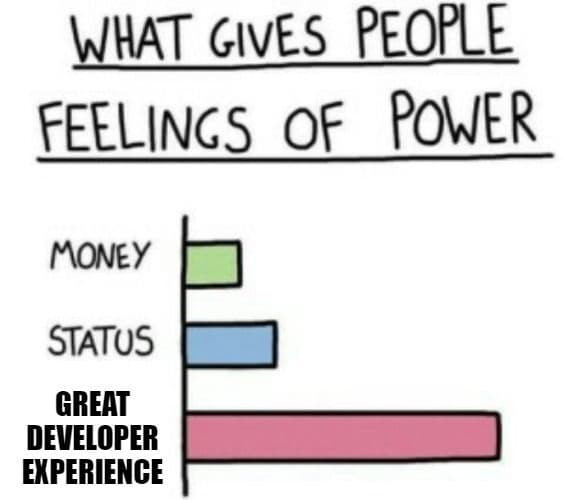
Developers like to tinker and try new approaches. But time is scarce. Everyone wants to spend it with family or on a hobby, not fighting your tooling. Picking up a new skill or finding an answer is expected to be quick, easy, and free.
If you want developers to adopt your product, two things decide it: how easy it is to use and how fast it integrates. Users judge a product by time and cost, and those judgments are quick. To reach developers, you can build tools or a developer portal made for them. Done well, that lifts sales, cuts support costs, and widens your reach.
Metrics tell you which direction to take. Without them, you are guessing at what your customers want, need, and do. Measuring gives you hard data to back your decisions and to spot where to innovate. So focus on developer experience, the experience your developer audience has while using your product.
What bad developer experience looks like
- Your support team is buried under customer requests.
- You have a great product, but developers cannot tell how to apply it to their use case.
- Developers have to email or call someone just to get an API key, or worse, to get the documentation.
What good developer experience looks like
- Developers solve their own problems with your documentation, FAQ, and guides.
- Your docs walk developers through a quick start, show their use cases, and cover the advanced principles they need.
- Developers find the right documentation on their own and get everything they need to ship their use case fast.
#1: Benefits and value
Explaining the value and benefits, not just the features, is always hard. It is also worth it. The faster those two land, the faster you win a new customer.
Describe your product well and prospects get interested and want to know more. That, quite literally, raises your odds of landing a customer.
What you can do
- Write a headline and tagline that describe the product as precisely as possible.
- Compare your product with the alternatives and study the competition.
- Explain the main benefits clearly and in a structure that is easy to follow.
- Show metrics that prove how easy the product is to use and integrate.
Bad examples
- Your developer portal describes value for the wrong audience.
- You list an overwhelming pile of solutions without pointing to a single concrete one.
Good examples
- Your developer portal describes the value it brings to developers.
- Graphics show the difference between the standard solution and yours, including your benefits.
- You offer a way to jump-start development quickly.
#2: Quick start guide
To start building, developers need a guide through the first discovery phase. They want to judge how easy the product is and estimate how long a solution will take.
The quick start guide should be one of the most important pages on the portal, and easy to find. It explains how to integrate your product and, ideally, helps developers estimate the effort to finish their use case, the core of what you offer. A good guide also points to best practices and names the technologies needed to reach the goal.
A well-written guide shows how little effort it takes to get to a production-ready result. That is your market advantage: developers pick your product over the competition.
What you can do
- Put a call to action in the hero section of the portal that leads to the quick start guide. It is the fastest route to the resources developers need.
- Use standard abbreviations, and add a glossary if you use any of your own.
- Include code snippets for the most popular languages your audience works in.
- Link to relevant tools (SDKs) from the quick start so developers can build even faster.
- Consider short videos to explain the basic principles.
Bad examples
- The quick start guide has no production-ready code snippets.
- Snippets are deprecated or broken in a given language.
- There is no Copy to clipboard button for snippets.
- The guide uses abbreviations only your team understands.
- You assume developers already know their way around everything.
Good examples
- The quick start guide is short, well organized, and easy to follow.
- The guide includes short videos that introduce the basics.
- You have an outline for easy navigation through the article.
- The guide uses screenshots or snippets from real scenarios to lead developers step by step.
- You link to tools that make integration easier.
- You link to more advanced guides at the end so developers can build advanced features.
- You explain things in detail and link to relevant resources so everyone can follow your practices.
#3: Setup and installation
Developers usually need some setup before they can use your product or API. To avoid surprises here, spell out any prerequisites and the installation steps your product needs.
You can lose a prospect for something as small as not knowing how to install a library or driver, simply because they could not get it running on their machine.
What you can do
- Prepare a list of prerequisites and the latest versions compatible with your product.
- Add a list of resources that point to fixes for the problems developers commonly hit along the way.
- Support several installation paths that lead different kinds of developers to the same goal.
- Follow installation best practices so the steps are easy to follow.
- If you do not support something that another tool does, link to it.
- Offer a virtualization option, such as Docker, that is ready to run in a few minutes.
Bad examples
- Your tools (SDKs) lag behind the latest platforms.
- Developers have to build the tool from source themselves.
- You rely on private repositories developers must configure first.
Good examples
- You support several installation methods across the most important platforms for your audience, or you offer an alternative.
- You describe how to handle any problem that might come up during this step.
- You distribute your tools through widely used platforms.
#4: Hello World
The easiest way for developers to try your product is to play with what it can do on its own. So highlight the primary use case and lead any developer to a tutorial that lets them start experimenting fast.
Smooth integration means fewer support tickets and less back-and-forth on both sides, which improves your cost-to-time ratio.
What you can do
- Prepare ready-to-use code snippets in several languages, following best practices, with as little code as possible to reach the goal.
- If you offer an API, include a sandbox where developers can simulate a real scenario without friction.
- If your product is interactive, build a small playground where developers can test how it behaves.
- Prepare production-ready starter projects with your most popular use cases. Easy to install with Docker, they let developers experiment and change the code to see how the product works.
Bad examples
- The Hello World code base is overcomplicated.
- Developers need third-party tools just to finish Hello World.
- Developers cannot complete the basic use case without help.
- You ship tools that lag behind your product's actual features.
Good examples
- You make getting started as easy as possible, including quick access to the sandbox, so developers can try every feature and see at once that the product is straightforward.
- You keep your snippets, starter projects, and tools up to date.
- You honor a developer-first approach with quick ways to start building.
#5: Community
The quality of your community maps directly to how much people trust your product. Like a community, trust has to be built and maintained, and that takes ongoing attention.
A large, high-quality community around your product makes new customers more likely.
What you can do
- Encourage problem solving and original solutions in your community.
- Reward your product ambassadors and help them get even better.
- Put your users first, value them, and improve your resources from their feedback to raise the quality of your product.
- Create a warm, welcoming space for your users.
Bad examples
- You treat users coldly and see their questions as a burden.
- You handle customer requests slowly.
- You build a community just for PR.
Good examples
- You build a partner network by rewarding your ambassadors.
- You show the product roadmap to engage customers and collect feedback.
- You communicate important changes as early as possible.
Tip: Check out AhoyConnect, the Community Data Intelligence Platform
AhoyConnect is a community analytics platform that combines data from multiple sources to provide real-time actionable insights. These insights allow you to track how your community is growing, understand its overall health, and measure its impact on your business.
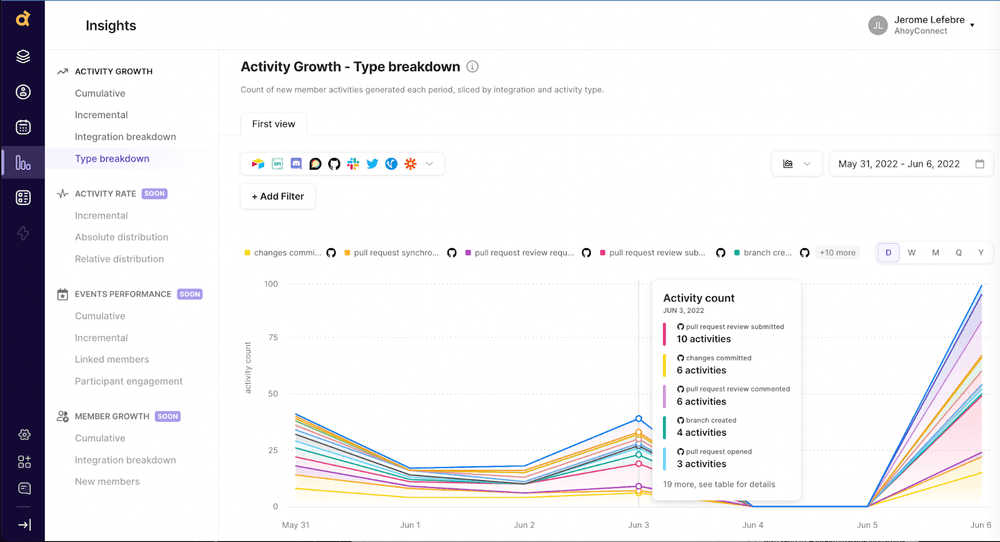
Source: AhoyConnect.com
#6: Finding solutions
Not everything is as easy as it looks. You will often need to solve your customers' problems or answer their questions as they come up. Give your audience an active place to ask a question, get an answer, or request help.
The faster a developer finds a solution, the less effort it takes on your side. That saves you money and turns a user into a customer.
What you can do
- Create a dedicated community channel where users can ask questions, for example Slack or Discord.
- Use an existing platform for specific questions. A Stack Overflow tag, for instance, is a great way to track developers' problems, respond, and help them reach their goals.
- Add an FAQ section for the most common questions.
Bad examples
- You leave questions in your community unanswered.
- You do not improve your resources based on community issues and feedback.
Good examples
- You have someone dedicated to running and supporting the community.
- Developers can find answers and fixes to their problems on their own.
Conclusion
Improving your processes is never finished, and finding the right path for your specific audience can be hard. Still, you can introduce small changes gradually and reach better results. Your situation may have its own requirements, and some recommendations will land differently for you. In the end, one metric speaks for all of them: Time to First Hello World (TTFHW), the time from the very start to running a working Hello World example. Give developers a head start.
The faster your users learn the product inside out, experiment with it, and discover what it can do, the faster you win new customers. No developer wants to spend time on busywork. Efficiency wins.
- More resources mean less confusion.
- A detailed explanation means faster implementation and fewer support requests.
- Faster implementation means a shorter sales cycle, and fewer support requests mean lower costs.
If you want to take concrete steps, whether from these recommendations or your own, and you are still unsure or want guidance, reach out. We can talk through your specific needs and find a way forward together.
Check out our case studies to see practical examples of what we have built.
You might also be interested in:
Want to stay one step ahead?
Don't miss our best insights. No spam, just practical analyses, invitations to exclusive events, and podcast summaries delivered straight to your inbox.